Customer Journey Mapping: A Practitioner's Guide
A Practitioner's Guide to Building Maps That Drive Operational Change
Most journey maps are aesthetic presentations that gather dust the moment the workshop ends. The problem isn't the map, it's that maps are built from assumptions, not data, and owned by nobody.
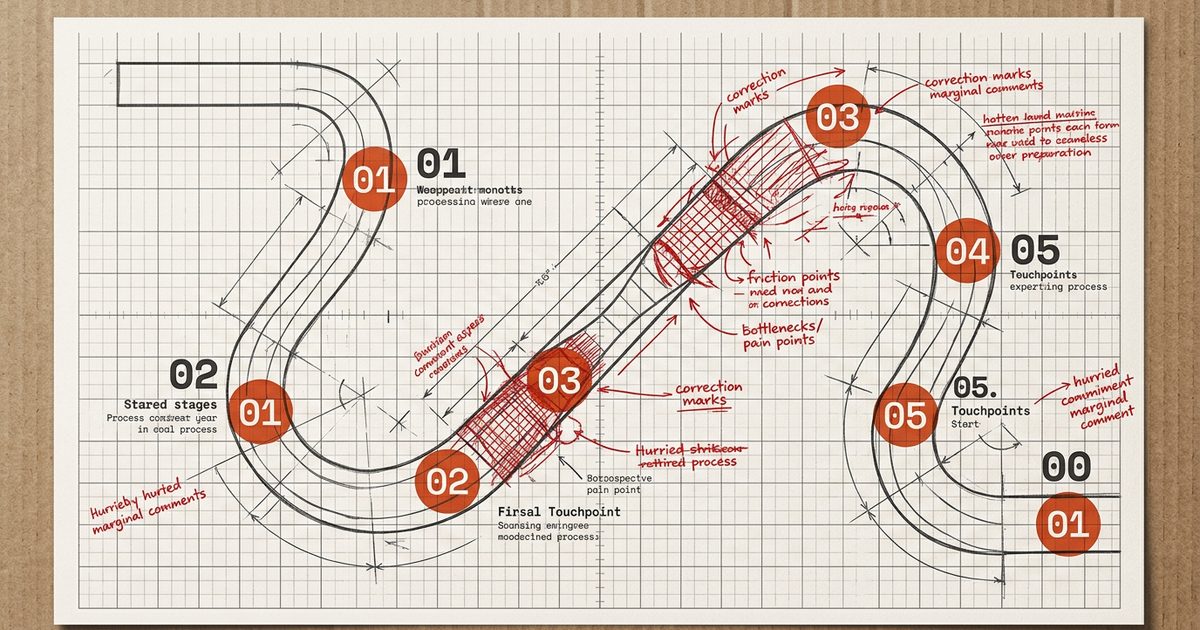
The pattern, repeated across every industry
A cross-functional team spends two days in a workshop. Sticky notes cover three walls. A design agency produces a beautiful 12-panel map with emotional arc diagrams and colour-coded friction points. It gets presented to the leadership team. It gets saved to a shared drive. Nobody updates it. Nobody owns it. Six months later, the same team is in another workshop asking the same questions.
Journey mapping has a reputation problem, not because the methodology is flawed, but because the vast majority of journey maps are treated as deliverables rather than living operational assets. The map gets made; the map doesn't change anything.
This guide is about building journey maps that actually drive operational change. Maps built from data rather than assumptions. Maps connected to a friction backlog with owners. Maps that get updated quarterly rather than once every two years when someone decides "we should do a journey mapping exercise again."
What a Journey Map Is (and What It Is Not)
A journey map is a structured visualisation of a customer's experience across a defined scope, a specific persona, a specific scenario, a specific lifecycle stage. It documents what the customer does, what they think, how they feel, and where the experience breaks down at each touchpoint.
What it is not: a marketing asset, a strategic presentation, or a one-time workshop output. The confusing of journey maps with marketing storytelling is the primary reason most maps never drive change. A map built to impress a leadership audience looks different from a map built to identify operational friction, and only one of them is useful.
Journey Maps That Don't Work
- Built from team opinions in a single workshop
- No data sources cited on any touchpoint
- Aspirational ("how it should feel") not actual ("how it does feel")
- No named owner for any friction point
- Never updated after initial creation
- Covers "all customers" as a single homogeneous group
Journey Maps That Drive Change
- Every emotion rating has a data source (survey, interview, NPS verbatim)
- Scoped to a specific persona and scenario
- Current-state map, what actually happens, not the ideal
- Friction points are in a backlog with owners and priorities
- Review cadence scheduled quarterly
- Separate maps for distinct customer segments
The critical distinction: A current-state map documents what the experience actually is, based on real customer behavior and feedback data. A future-state map documents what you want it to be. Build current-state first. You cannot improve a journey you haven't honestly documented.
The Five Types of Journey Maps and When to Use Each
Not all journey maps serve the same purpose. Using the wrong map type for your objective is one of the most common causes of workshop output that never translates into action.
Current-State Map
Diagnosing the experience as it exists today, finding the friction, the moments of delight, and the gaps between intent and reality.
Best for
Starting any CX improvement programme. Identifying the highest-impact friction points to address first. Building shared cross-functional understanding of what customers actually experience.
Not for
Presenting to customers or using in marketing materials. This map is an internal diagnostic tool.
Future-State Map
Designing the intended experience after proposed changes have been made. Used to align teams on the target outcome before beginning implementation.
Best for
Product and service redesign projects. Ensuring proposed changes are coherent across all touchpoints before development begins.
Not for
Replacing the current-state map. Future-state maps are hypotheses, they need to be validated against actual customer experience once implemented.
Day-in-the-Life Map
Documenting a customer's entire day or context, not just their interactions with your product. Surfaces jobs-to-be-done and competitive context that the product-centric map misses.
Best for
Early-stage product development. Understanding how your product fits into (or disrupts) existing workflows. Building empathy for the full context customers operate in.
Not for
Identifying specific friction points within your product. Too broad for operational improvement work.
Service Blueprint
Extends behind the customer-facing layer to document front-stage employee actions, back-stage processes, and supporting systems. Shows the operational machinery behind the experience.
Best for
Redesigning the operational process behind a known broken touchpoint. Identifying where process failures cause customer-facing problems. Cross-departmental service design.
Not for
Initial discovery. Build a current-state journey map first to identify which touchpoints need a service blueprint.
Lifecycle / Relationship Map
End-to-end view across the entire customer relationship, from pre-purchase through renewal and expansion. Focuses on key moments of truth and emotional high/low points across the relationship arc.
Best for
Strategic alignment across the whole organisation. Identifying where the customer relationship is won and lost across a multi-year arc. Informing NPS survey timing and VoC programme design.
Not for
Operational improvement at a specific stage. Too high-level for friction identification. Use a current-state map zoomed in to the specific stage you want to improve.
Data-First Mapping: What to Gather Before You Open a Tool
The most common journey mapping failure happens before the workshop begins. Teams open Miro, add sticky notes for what they think customers experience, and produce a map that reflects their internal assumptions rather than actual customer reality. The resulting map is beautifully designed fiction.
Data-first mapping requires assembling evidence before anything is drawn. Every emotion rating, every friction point, every moment of delight needs a citation. If the team cannot name a data source for a claim, the claim is an assumption, and should be marked as such explicitly.
The Pre-Workshop Data Collection Checklist
Quantitative signals
- •NPS/CSAT/CES scores segmented by journey stage and persona
- •Product analytics: feature adoption, session depth, drop-off points
- •Support ticket volume and category breakdown per stage
- •Time-to-value data: days from sign-up to first core action completed
- •Conversion rates at each stage (awareness → trial → activation → paid)
Qualitative signals
- •NPS/CSAT open-text verbatims coded by journey stage
- •Sales call recordings (the questions asked before purchase reveal purchase anxiety)
- •Support ticket text: what specific language do customers use to describe problems?
- •Churned customer exit interview transcripts or survey responses
- •Renewal conversation notes from CSM team (what objections appear at renewal?)
Observation data
- •Session recordings of onboarding flows (Hotjar, FullStory, LogRocket)
- •Usability testing clips for key workflows
- •Any in-person or remote customer interviews from the past 12 months
The assumption flag: During the workshop, use a red sticky note (or red tag in a digital tool) to flag every touchpoint where the team cannot cite a data source. These are your research backlog items, gaps to validate before the map is presented as authoritative.
Running a Journey Mapping Workshop That Produces Real Output
The workshop is not where the map gets built; it is where the pre-assembled data gets organised, debated, and prioritised. The facilitator's job is to keep the team focused on evidence over opinion and on the current state over the ideal state.
Workshop Structure (Half-Day Format)
Scope alignment (30 min)
Agree on the specific persona and scenario being mapped. 'All customers during onboarding' is too broad. 'Mid-market B2B accounts during their first 30 days with an assigned CSM' is a scope. Without clarity on scope, the team maps different journeys simultaneously.
Facilitator move: Write the scope on the wall as a single sentence. Refer back to it whenever the conversation drifts to a different persona or scenario.
Touchpoint identification (45 min)
List every interaction the customer has with your organisation, product, or content during the scoped journey. Include both human-mediated (calls, emails, meetings) and digital touchpoints (product screens, automated messages, support portal). Do not evaluate yet, list only.
Facilitator move: Use one sticky note per touchpoint. Group by stage. Challenge the team: 'What does the customer do between this touchpoint and the next?' Gaps in the workflow are often where friction hides.
Emotion mapping (45 min)
For each touchpoint, rate the customer's emotional experience on a simple scale: frustrated / neutral / positive. Use the pre-collected data, NPS verbatims, support ticket language, interview quotes, to anchor ratings. Forbid the phrase 'I think customers feel...' unless followed by a data citation.
Facilitator move: When the team disagrees on an emotion rating, mark it as an assumption flag. Disagreement among internal stakeholders about how customers feel is itself a finding, it reveals where the team has no evidence.
Friction identification and prioritisation (45 min)
Identify the three to five touchpoints where the emotional score is lowest or where the team has flagged the most assumptions. For each, write a friction statement: '[Customer type] struggles to [action] because [root cause].' Force the root cause, don't leave friction as 'the onboarding is confusing.'
Facilitator move: Ask: 'What would we need to believe for this to be the highest-priority friction point?' This surfaces the implicit assumptions behind prioritisation decisions and prevents the loudest voice in the room from driving the output.
Ownership assignment (30 min)
Every friction point must leave the workshop with a named owner, a hypothesis for improvement, and a next action. Without ownership, friction points become slide content. The owner is not responsible for solving the problem alone; they are responsible for ensuring it enters the appropriate workflow (product backlog, operations review, support process improvement).
Facilitator move: Do not close the workshop until every friction point that the team agreed to prioritise has a name next to it.
From Map to Friction Backlog: How to Prioritise What to Fix
The workshop produces a prioritised list of friction points. The friction backlog is the operational home of that list; the place where friction points become work items with owners, hypotheses, and success metrics.
Without a friction backlog, journey mapping outputs remain as slide decks and wall decorations. The backlog is the connective tissue between the diagnostic (the map) and the operational system (your product backlog, operations sprints, support process reviews).
Prioritisation Framework: Impact vs. Effort vs. Evidence
Score each friction point on three dimensions:
Customer Impact
How significantly does this friction point affect the customer's ability to achieve their goal? High impact = removes a blocker to value. Low impact = minor inconvenience that doesn't affect outcomes.
Score: 1–5Business Impact
What is the consequence of this friction point for retention, conversion, or expansion? Correlate with churn data, CSAT scores, and support volume where possible.
Score: 1–5Evidence Quality
How strong is the evidence that this friction point is real and affects the scoped persona? Strong = multiple data sources. Weak = one team member's impression from a single customer conversation.
Score: 1–5Friction points with the highest combined scores and the weakest evidence quality are your primary research targets. Don't build solutions around assumptions. Friction points with strong evidence and high impact are your immediate backlog items.
The hypothesis format: Every backlog item should have a written hypothesis: "We believe that [change X] will improve [metric Y] for [persona Z] because [evidence]. We will know we were right when [success criterion]." This is the connective tissue between improvement work and the VoC measurement system from Part 2 of this series.
Keeping Maps Alive: Governance and Iteration Cadence
A journey map built today is already partially wrong. Products change, support processes evolve, customer expectations shift, and new channels emerge. The map that was accurate in Q1 can misrepresent the experience by Q3.
Governance is the system that keeps maps alive and useful. It requires three things: an owner, a trigger, and a cadence.
Map Owner
One named person is responsible for the accuracy of each journey map. Not a committee, a single owner. They are responsible for scheduling updates, reviewing friction backlog progress, and flagging when a significant product or process change requires an emergency map review.
Common failure mode: Ownership by committee. 'The CX team owns the journey maps' means nobody owns them. Each map needs one name.
Update Triggers
Define in advance what events will trigger an unscheduled map review: a product major release affecting a mapped touchpoint, a significant change in a mapped metric (CSAT drops 10%+ in a stage), a new channel launch, or a structural process change by operations.
Common failure mode: The map never gets updated despite multiple product changes, because nobody set a trigger for when updates were required.
Quarterly Review Cadence
Regardless of trigger events, maps should be reviewed quarterly. The review is not a full workshop, it is a 60-minute structured check: Which friction backlog items have been addressed? Have the relevant metrics moved? What new data (NPS verbatims, support themes, product changes) requires map annotation?
Common failure mode: Annual review only, which means the map is functionally abandoned for 11 months out of 12.
Journey Mapping Tools Compared: When to Use Which
The tool should serve the process, not define it. Most journey mapping fails not because of tool limitations but because of process failures. That said, the right tool reduces friction on the highest-effort parts of the work.
Workshop-first tools
Examples: Miro, Mural, FigJam
Strengths
Real-time collaboration, flexible templates, easy onboarding, no per-seat cost for participants. Best for live facilitation where speed and flexibility matter more than structure.
Weaknesses
No native data integration. Maps become static quickly after the workshop. Hard to maintain version history or governance processes at scale.
Use when: Your primary goal is facilitation and cross-functional alignment. You're running workshops, not maintaining an enterprise CX asset library.
Dedicated journey mapping platforms
Examples: Smaply, UXPressia, Custellence
Strengths
Structured templates with built-in map layers (persona, emotion, touchpoint, backstage). Export formats for presentation and documentation. Some native data integration with survey tools.
Weaknesses
Requires training and adoption commitment. Not as flexible as whiteboard tools for live facilitation. Limited real-time collaboration in lower tiers.
Use when: You're running a mature CX programme with multiple maps across multiple personas that need to be maintained, versioned, and updated regularly.
Enterprise CX platforms with journey capabilities
Examples: Qualtrics Journey Designer, Medallia Journey Analytics, Salesforce Customer Journey
Strengths
Native integration with VoC data, NPS/CSAT scores, and CRM records. Maps are connected to live customer data rather than static. Supports data-driven emotion ratings without manual data assembly.
Weaknesses
High cost and implementation complexity. Requires existing investment in the broader platform. Often overkill for teams just starting journey mapping practice.
Use when: You already use the broader CX platform and need journey maps to be data-driven and updated automatically as metrics change.
What Comes Next in The CX Field Guide
Part 3 covered how to map the journey and operationalise improvement. Part 4 goes into the most technically complex, and most human, part of the CX stack: the contact centre. Including the agent experience crisis that vendor content refuses to address.
Journey Mapping Tools We Analyse
Explore the journey mapping platforms, analytics tools, and CX software discussed in this guide:
Amplitude
Product analytics platform that helps businesses understand user behaviour and optimise customer experiences.
Buyer fit
Enterprise, Mid-Market, Startup teams that need Behavioural Targeting and Cohort Analysis coverage.
Key Features
- Behavioural Targeting
- Cohort Analysis
- Customer Segmentation
- Funnel Analysis
Hotjar
Behaviour analytics and user feedback platform that helps understand visitor behaviour on websites.
Buyer fit
Small Business, Mid-Market, Startup teams that need Customer Segmentation and Funnel Analysis coverage.
Key Features
- Customer Segmentation
- Funnel Analysis
- User Behaviour Analysis
- API Integration
Mixpanel
Advanced analytics platform for product teams to analyse user behaviour and understand engagement.
Buyer fit
Mid-Market, Small Business, Startup teams that need Cohort Analysis and Customer Segmentation coverage.
Key Features
- Cohort Analysis
- Customer Segmentation
- Funnel Analysis
- Predictive Analytics
Alchemer
Survey platform with advanced logic features, customization options, and integrations (including Salesforce and Zendesk).
Buyer fit
Mid-Market, Enterprise teams that need Sentiment Analysis and Email Distribution coverage.
Key Features
- Sentiment Analysis
- Email Distribution
- In-App / In-Product Surveys
- Multi-Channel Distribution
Qualtrics XM
Enterprise experience management platform with advanced survey capabilities, real-time analytics, and AI-driven insights.
Buyer fit
Enterprise, Mid-Market teams that need AI-Powered Text Analysis and Customer Segmentation coverage.
Key Features
- AI-Powered Text Analysis
- Customer Segmentation
- Robust Statistical Analysis
- Email Distribution
SurveyMonkey
Survey platform with a drag-and-drop builder and templates, used by businesses of all sizes.
Buyer fit
Small Business, Mid-Market, Startup teams that need Email Distribution and Multi-Channel Distribution coverage.
Key Features
- Email Distribution
- Multi-Channel Distribution
- Multilingual Support
- API Integration
Frequently Asked Questions
What is customer journey mapping?
Customer journey mapping is a structured process for visualising every interaction a customer has with an organisation, from first awareness through purchase, onboarding, and long-term use. A journey map documents the stages, touchpoints, customer emotions, actions, and friction points at each step, creating a shared artifact that aligns cross-functional teams around the customer perspective. Effective journey maps are built from behavioral data and customer research, not assumptions, and are connected to an operational friction backlog rather than existing as static presentation decks.
What are the stages of a customer journey?
Customer journey stages vary by business model, but the most common framework covers five phases: Awareness (how the customer first learns of your product or category), Consideration (how they evaluate options including yours), Decision (the purchase or sign-up moment), Onboarding (first value realisation), and Retention/Expansion (ongoing use and deepening engagement). B2B journeys typically add a Renewal stage and separate the corporate buyer journey from the end-user journey, since the stakeholders and motivations at each stage differ significantly.
How do you run a customer journey mapping workshop?
An effective journey mapping workshop runs in three phases: Preparation (2 weeks before: gather quantitative data, analytics, support ticket themes, NPS verbatims, sales call recordings, and recruit 4–8 cross-functional participants), Facilitation (half-day to full-day session: map current-state journey using real data, mark emotion levels at each stage, identify assumption gaps, and prioritise friction points), and Output (week after: clean the map, assign friction owners, create a friction backlog in your project management tool). The most common failure is skipping the preparation phase and building a map from opinion rather than data.
What is the difference between a customer journey map and a service blueprint?
A customer journey map documents the customer's experience from their perspective, what they do, think, and feel at each touchpoint. A service blueprint extends behind the scenes to document the front-stage actions (what the employee does that the customer sees), the back-stage actions (support systems and processes the customer doesn't see), and the technology and infrastructure layer that enables them. Journey maps are tools for understanding; service blueprints are tools for redesigning. Start with a journey map to identify where the experience breaks down, then build a service blueprint to redesign the operational process behind the broken touchpoint.
What is the best tool for journey mapping?
The best journey mapping tool depends on your team's maturity and how you intend to use the map. For workshops and rapid discovery, Miro and Mural are the most widely used; they're flexible, collaborative, and don't require training. For enterprise CX teams that need maps connected to data and maintained over time, dedicated tools like Smaply, UXPressia, or Qualtrics Journey Designer offer structured templates and integration with feedback data. The most important consideration is not the tool but the governance process: a well-maintained map in a spreadsheet outperforms an unmaintained enterprise platform.
Part 3 of 6
This is the third instalment of The CX Field Guide, a practitioner-focused series covering everything you need to know about modern CX technology and practice: from Voice of Customer and journey mapping to contact centre technology, metrics, and the AI-native CX stack.
View All Insights →